An Empower alternative for crypto and stock investors
Empower's free dashboard, formerly Personal Capital, covers budgets, retirement and net worth. Sonar focuses on your investments, crypto, stocks and ETFs, with social data on what you hold.
Updated October 27, 2026
Many people know Empower's free dashboard by its old name, Personal Capital. It brings bank accounts, credit cards, loans, retirement plans and investments into one view, with budgeting and retirement planning on top. Sonar is a different kind of tool: an investment tracker for people who hold crypto and stocks and want to follow those holdings closely. Here is how they compare.
What Empower does well
- Your whole financial picture, free. Empower's tools page lists net worth, budgeting and cash flow, portfolio analysis, a retirement planner, a savings planner, debt paydown, an emergency fund tracker and transactions, and says they are completely free.
- Every kind of account. You can link retirement plans such as IRAs, investment accounts, loans, bank accounts and credit cards.
- Retirement planning. The retirement and savings planners are the reason many people use it.
- Advice if you want it. Empower offers paid advisory services, with fees based on the assets it manages.
Empower suits people who want budgeting, retirement planning and net worth in one free dashboard, and who may want an advisor later.
Where Sonar is different
- Crypto as a first-class holding. Sonar connects crypto wallets by public address on more than 50 networks (Ethereum and other EVM chains, Solana, Bitcoin, XRP Ledger, Cardano and more) and, on Starter, Standard and Premium, crypto exchanges through Plaid, and prices coins next to your stocks and ETFs. Empower's own pages that we read don't mention crypto.
- Market context on every holding. On Starter, each stock and coin you hold shows mentions, engagement, sentiment, social dominance, discussion themes, top creators and news.
- Onchain activity for your coins. On Standard, the coins you hold show holders, transfers, supply concentration and network activity.
- Your portfolio in Claude and ChatGPT. Sonar's MCP connector lets you ask an assistant about your holdings. There is also a REST API and a command-line tool.
- No advisory business. Sonar sells software subscriptions. It shows what is happening to what you own and never tells you what to buy or sell. Your data isn't sold or used for ads. See security.
Empower and Sonar compared
| Empower Personal Dashboard | Sonar | |
|---|---|---|
| What it tracks | Bank, credit card, loan, retirement and investment accounts | Coins, stocks, ETFs and cash |
| Price | Free tools; paid advisory services | Free; Starter $7, Standard $11, Premium $20 a month (or $72, $120 and $192 a year) |
| Budgeting and retirement planning | Yes | No |
| Crypto wallets and exchanges | Not mentioned on Empower's pages we checked | Wallets on more than 50 networks; exchanges through Plaid on Starter, Standard and Premium |
| Brokerages | Linked investment and retirement accounts | US brokerages through Plaid on Starter, Standard and Premium; CSV import from any broker |
| Social data on holdings | Not listed | Starter, Standard and Premium |
| AI access | Not listed | MCP connector for Claude and ChatGPT, REST API and CLI |
When Empower is the better choice
- You want budgeting, cash flow and retirement planning. Sonar doesn't do those.
- You want bank accounts, credit cards and loans in your net worth. Sonar tracks investments only.
- You want everything free and don't hold much crypto.
- You may want a financial advisor. Sonar doesn't offer advice.
When Sonar fits better
- You hold crypto in wallets or on exchanges and want it tracked automatically next to your stocks.
- You want to see what the market is saying about each of your holdings.
- You want to query your portfolio from Claude, ChatGPT, a script or a terminal.
- You'd rather use a product that only sells software. See pricing.
Some people use both: Empower for budgets and retirement, Sonar for a closer look at their investments.
How to start with Sonar
- Connect crypto. Paste a wallet address, or on Starter, Standard and Premium connect an exchange through Plaid. Free includes one wallet; Starter three connections, Standard five and Premium ten.
- Add your brokerage. Download a positions file from your broker and import it (Fidelity, Schwab, Vanguard, Robinhood and others work), or connect a US brokerage through Plaid on Starter, Standard or Premium. See importing a CSV.
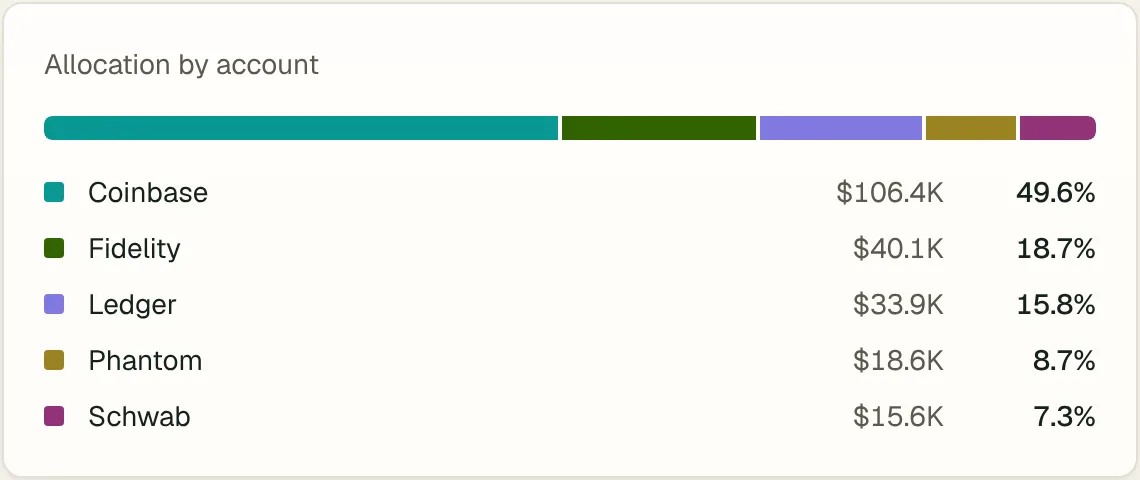
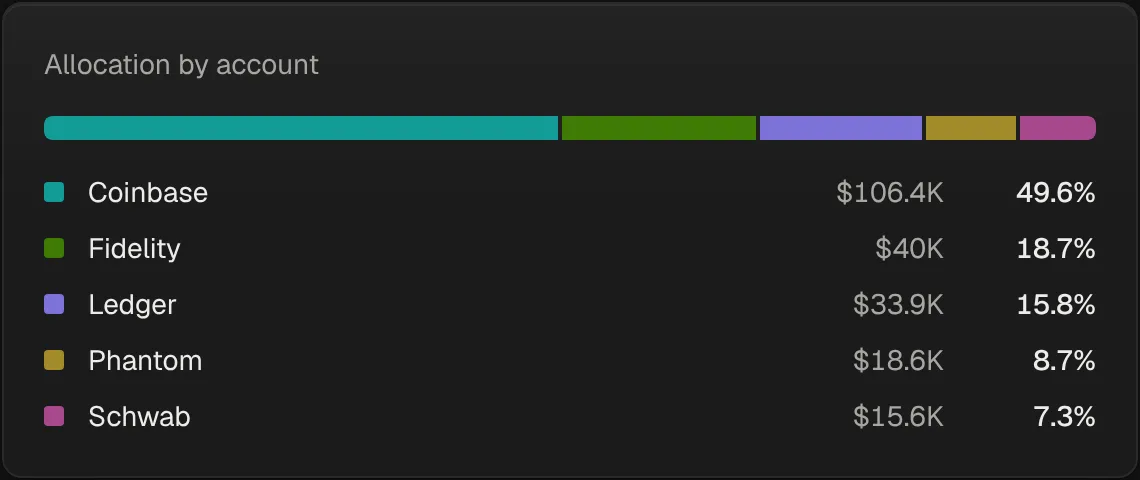
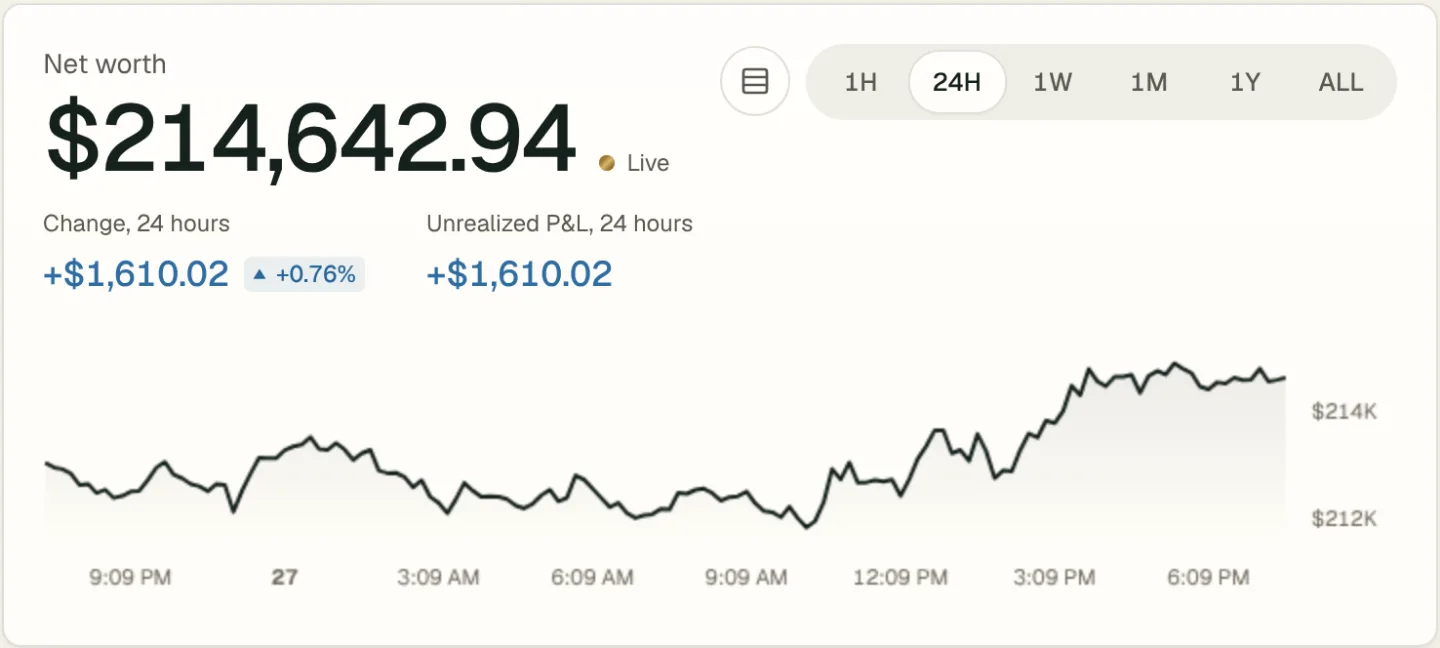
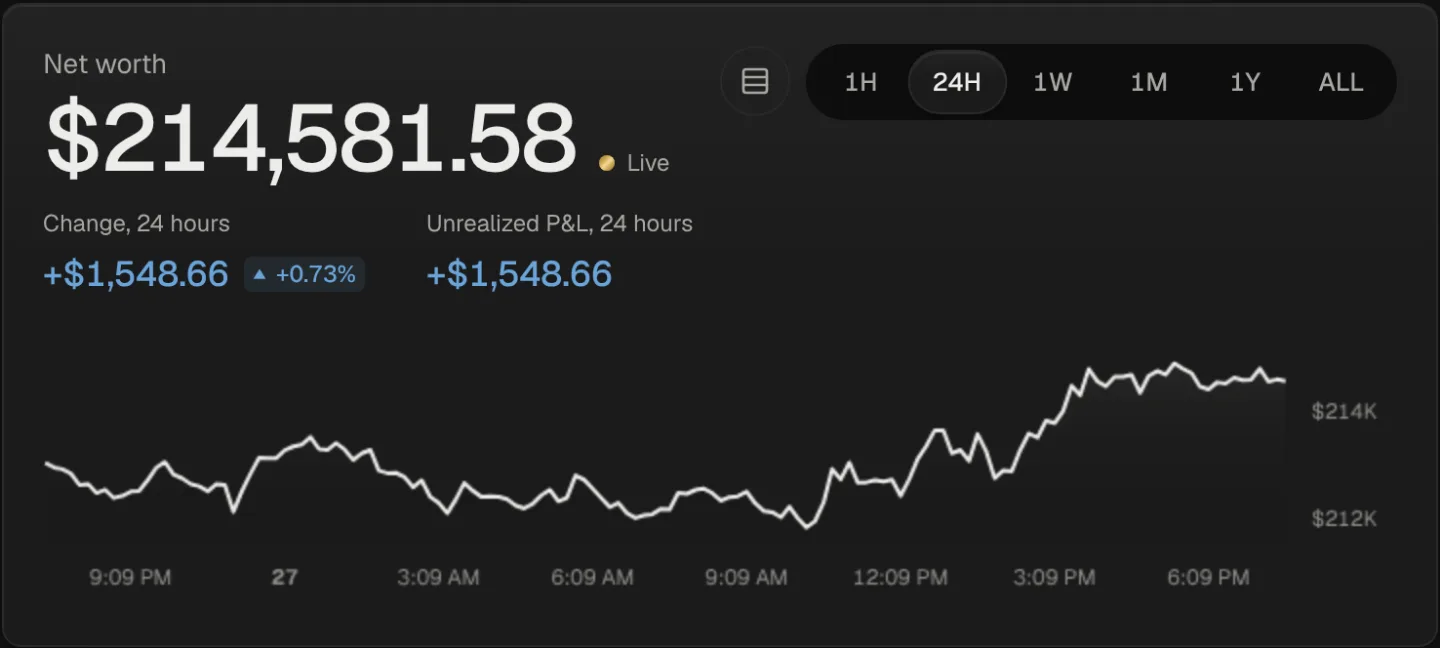
- Check the totals. Your net worth, allocation and performance update as prices move. Positions Sonar can't match are kept and flagged.
Not sure yet? Open the sample portfolio.
Questions
Is Empower the same as Personal Capital?
Yes. Personal Capital moved to the Empower brand, and its free dashboard is now the Empower Personal Dashboard. Empower says the tools stay free.
Is Sonar free like Empower?
Sonar has a Free plan: your portfolio, live prices, performance and allocation, manual entry, CSV import and one connected wallet. Social data, alerts, onchain data and AI access are on paid plans.
Does Sonar track my bank account or budget?
No. Sonar tracks investments: coins, stocks, ETFs and cash. For budgets, a tool like Empower is a better fit.
How does Sonar track crypto?
If you hold crypto in wallets, Sonar reads them by public address, and on Starter, Standard and Premium it connects exchanges through Plaid; it shows social data on each coin you hold. See the crypto portfolio tracker.
Will Sonar give me investment advice?
No. Sonar reports what happened to what you own. It never recommends buying or selling.
Empower and Personal Capital are trademarks of their owners. Sonar is not affiliated with Empower. Facts about Empower were checked on its website on October 24, 2026, and may have changed since.
Related pages
- Portfolio tracker comparison: 12 apps side by sideCompare portfolio trackers for stocks and crypto: Kubera, Delta, Sharesight, getquin, Empower, Monarch, CoinStats, Snowball and more, with sourced facts.
- Monarch alternative for crypto and stock investorsMonarch is a budgeting and money app with investment tracking. Sonar is an investment tracker for crypto and stocks, with a free plan and social data on holdings.
- Kubera alternative for crypto and stock investorsKubera tracks everything you own and owe from $250 a year. Sonar tracks crypto, stocks and ETFs with a free plan and paid plans from $7 a month.
- Net worth tracker for stocks, ETFs and cryptoA net worth tracker for your investments. Stocks, ETFs, funds, crypto and brokerage cash in one total, recorded daily, shown in your own currency.